Native macOS · CSV & TSV
Giant CSVs,
opened instantly.
The files that freeze Excel and spin Numbers forever open in well under a second on your Mac. Then scroll, search and sort every row. No terminal, no cloud, no waiting.
macOS 14 Sonoma or later · Universal (Apple Silicon + Intel)
Excel taps out at 1,048,576 rows.
Numbers just spins. Your export has fifty million rows. Double-click it and you'll wait, then watch it truncate, freeze, or quit outright. The file was never the problem. The tool was.
- Hard row limit: anything past ~1M is silently dropped
- Loads the entire file into RAM before you see a thing
- Beachballs, then quits, on multi-gigabyte files
Open it. Then actually use it.
Viewing a giant file is just the start. Search every row, sort any column, and trust that what you see is parsed correctly, all at fifty-million-row scale, all on your Mac.
Open in an instant
BigCSV memory-maps the file instead of loading it, so a 4 GB export is on screen the moment you double-click, not minutes later. It never reads the whole file into RAM.
Find anything, fast
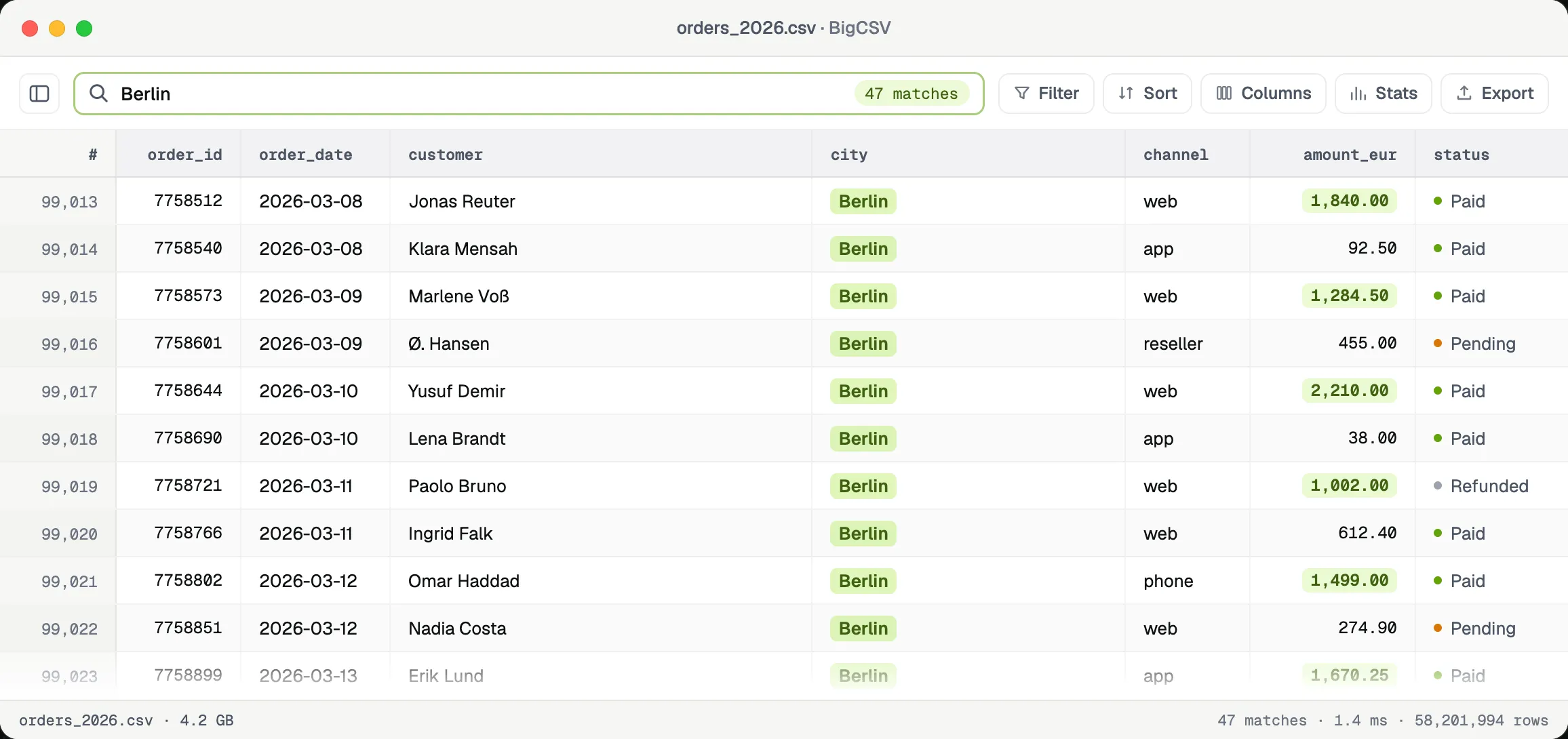
Full-text search streams across every row and returns matches in milliseconds, even at fifty million rows. Jump straight to the hits. No scrolling, no waiting.
Sort, resize, reorder
Sort by any column, drag to reorder, resize to fit, and freeze the ones that matter. The grid stays buttery no matter how many rows sit beneath it.
Reads it right
Auto-detects the delimiter (comma, semicolon, tab or pipe) and the encoding, from UTF-8 to Windows-1252. Quoted fields and newlines inside cells just work.
Stays on your Mac
100% offline and fully native. No upload, no account, no telemetry. Whatever is in that file never leaves your machine. By design, not by promise.
Easy on the eyes
A crisp, native grid with light and dark modes that feels like part of macOS: tabular numerals, tidy hairlines, and a status bar that tells you exactly what you're looking at.
The whole thing, in one window.
No dashboards, no setup. Open the file and everything is right there.
01Full-text search across every row, in milliseconds.
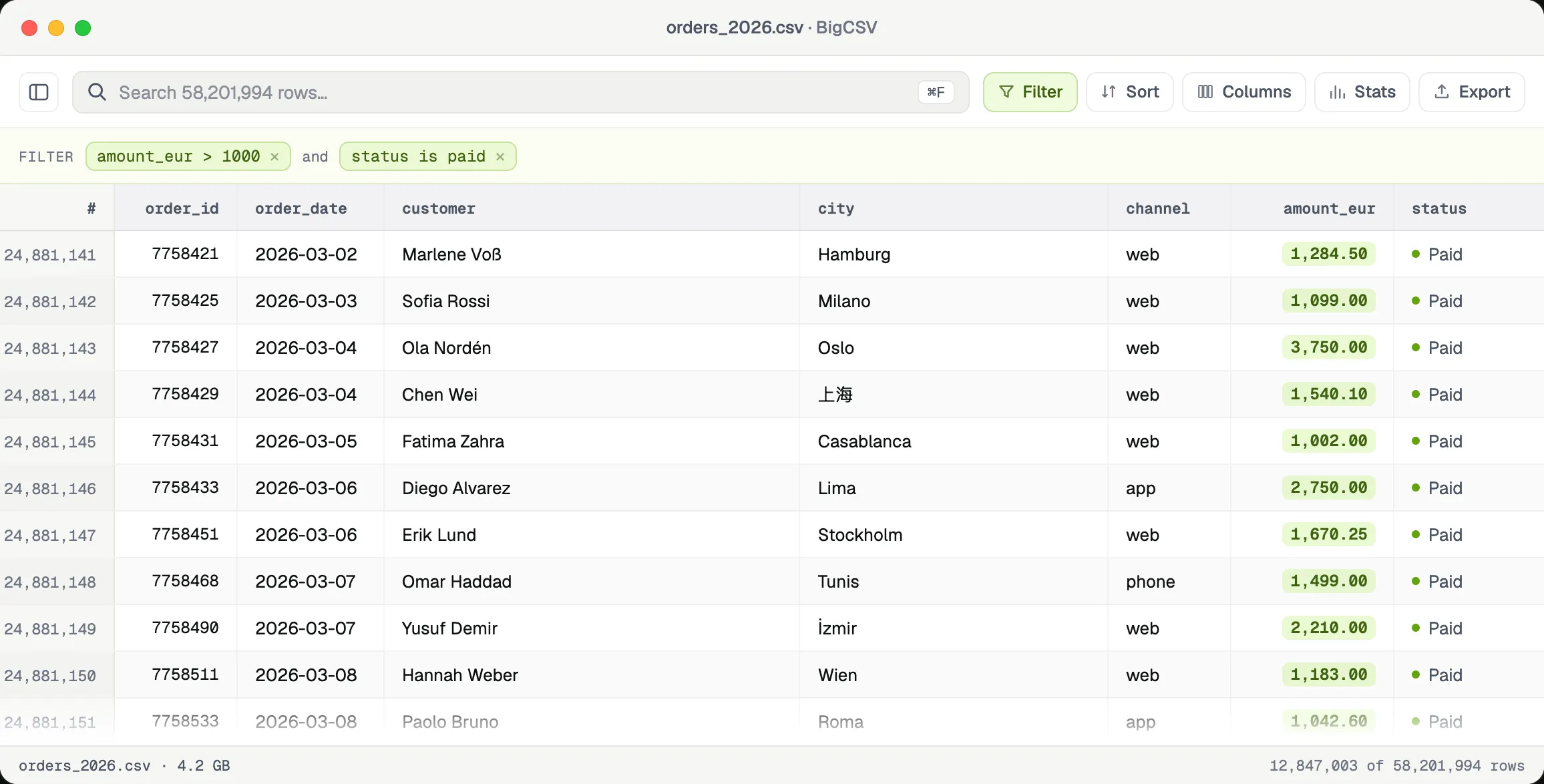
02Filter millions of rows with live expressions.
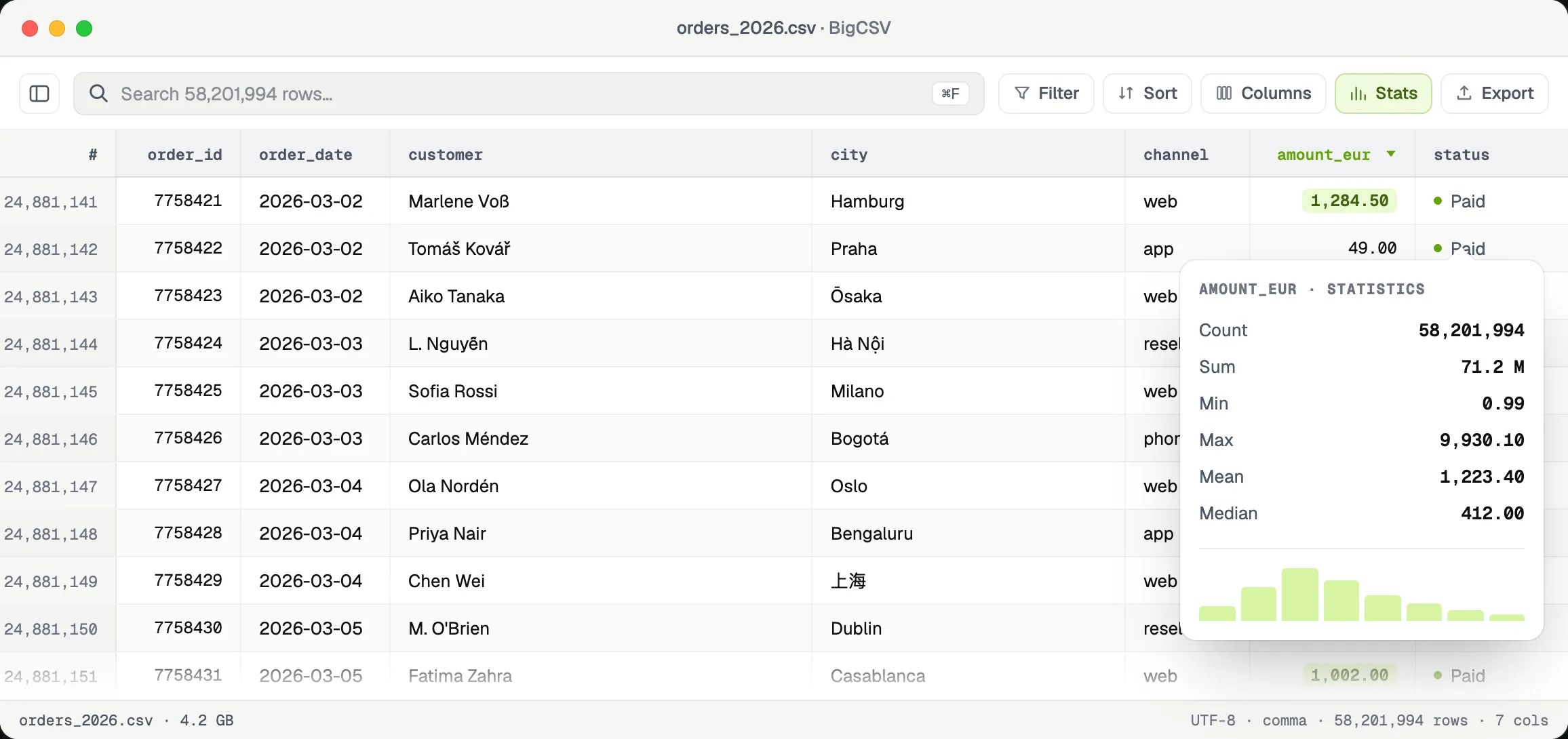
03Profile any column instantly: min, max, mean, distribution.
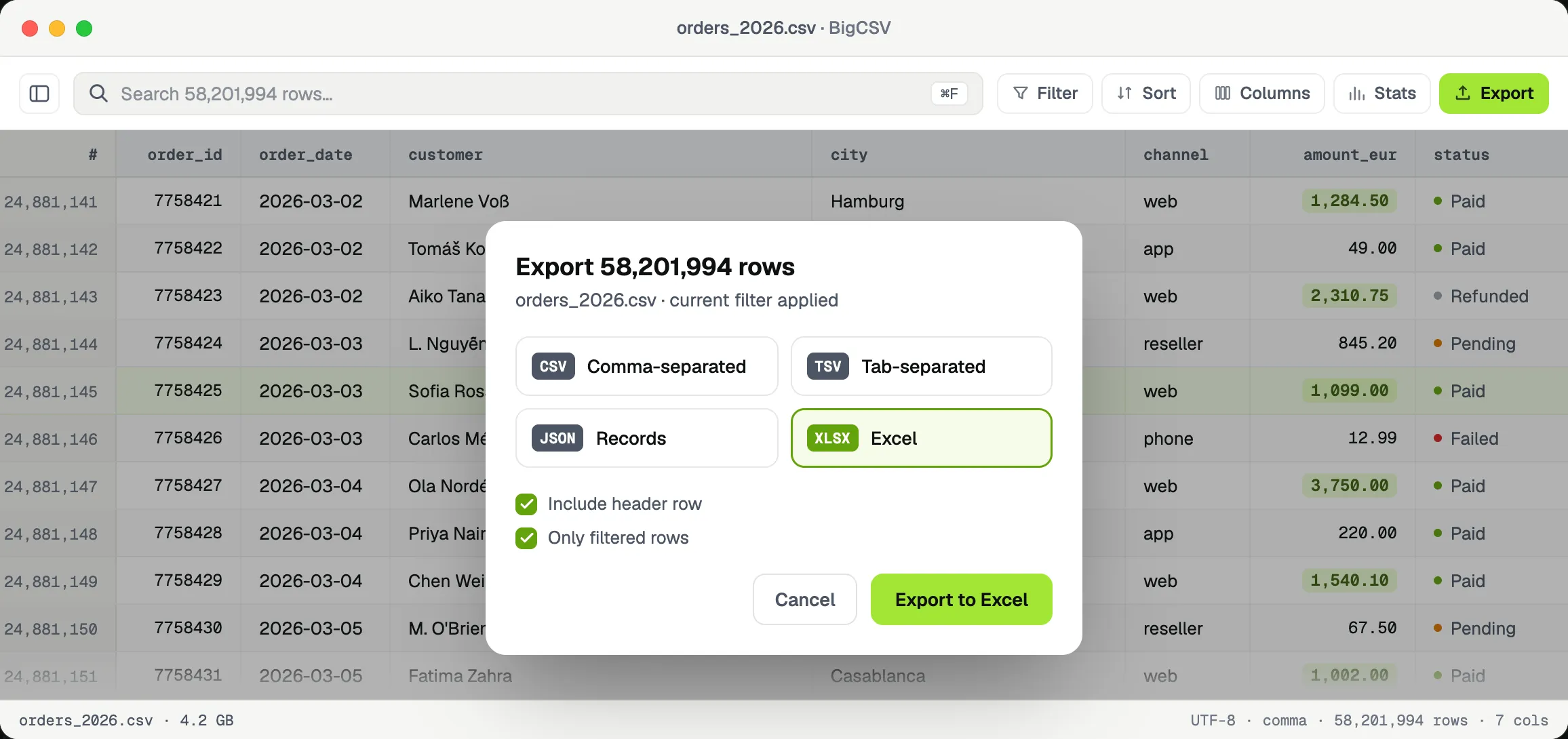
04Export to CSV, JSON or Excel in one click.
Free to use. €9.99 to power up.
The full viewer is free forever, with no row caps and no nag screens. Unlock the power tools once, and they're yours for good.
BigCSV
The whole viewer, with nothing held back.
- Open files of any size, no row caps
- Search, sort, resize & reorder columns
- Auto delimiter & encoding detection
- Fully offline · no account · no nag screens
BigCSV Unlocked
Pay once. Yours for good.
- Filter rows with live expressions
- Column stats & instant profiling
- Export to CSV, JSON & Excel
- Freeze columns, tabs & saved filters
No subscription. Ever.
No subscription. Ever.
€9.99 is the final price. As a small business under §19 of the German VAT Act, no VAT is charged or shown.
- Native, no Electron
- Fully offline
- No account
- Developer ID–signed
Get BigCSV.
Free, Developer ID–signed, 1.7 MB. macOS 14 Sonoma or later, Universal — runs natively on Apple Silicon and Intel.
Buy once and your licence key arrives by email. Paste it into BigCSV under "Unlock" and the power tools are yours, on every Mac you own, forever.
🔐 First launch only: if macOS shows a security warning, open System Settings → Privacy & Security → "Open Anyway". This is a standard prompt for apps distributed outside the App Store.